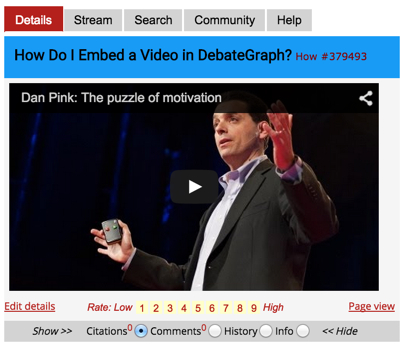
To embed a video in the Details text area:
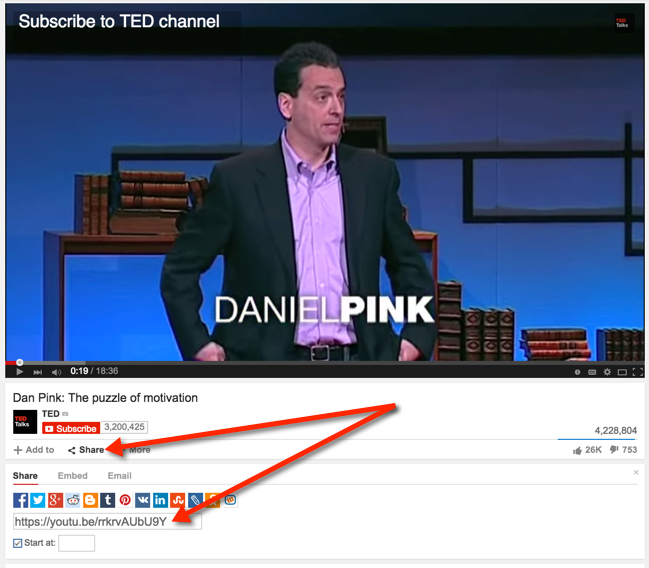
(1) Go to the source of the video, and copy the URL:
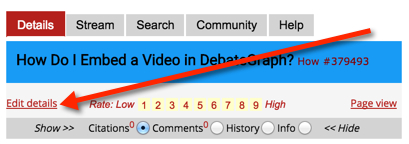
(2) In DebateGraph, click on the Edit details link:
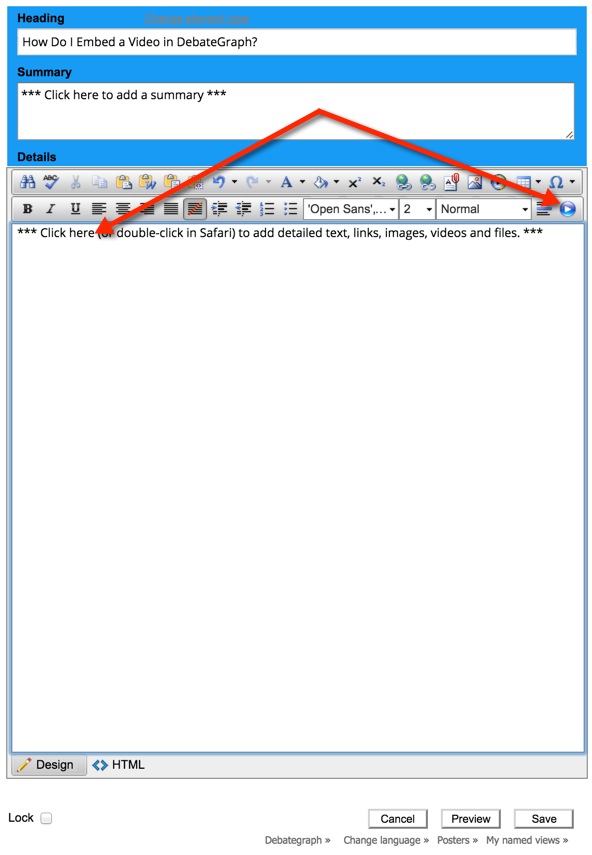
(3) Click in the Details text area, and then click on the Video embed button (far right):
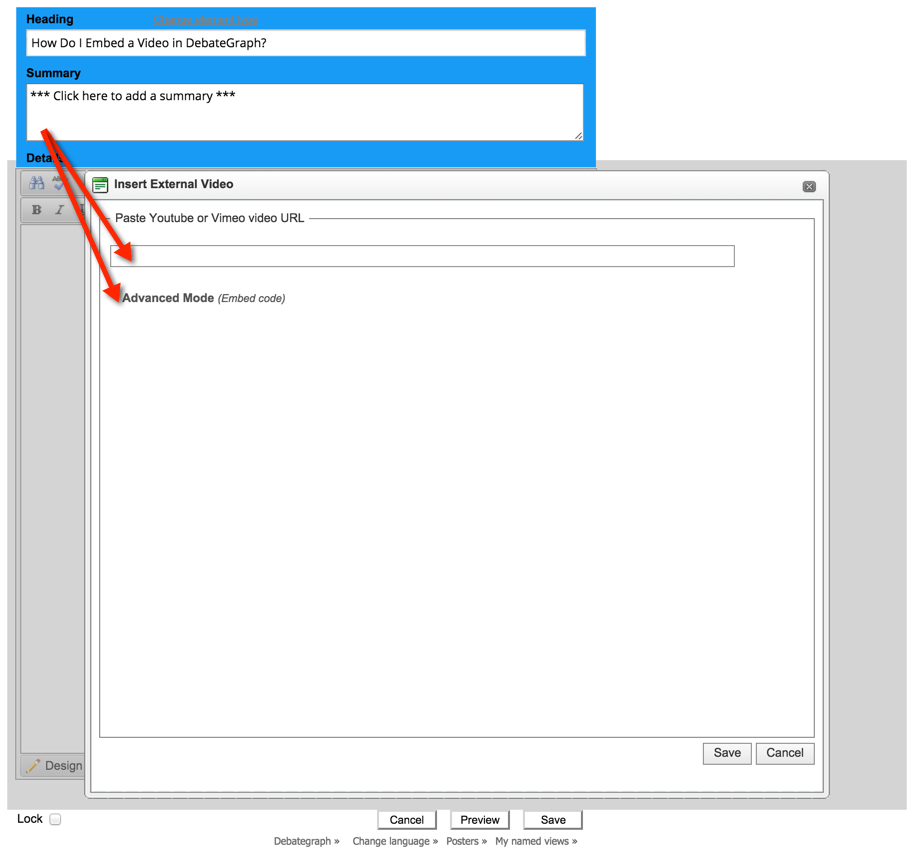
(4) Paste the copied URL into the URL box, and then click on Advanced Mode:
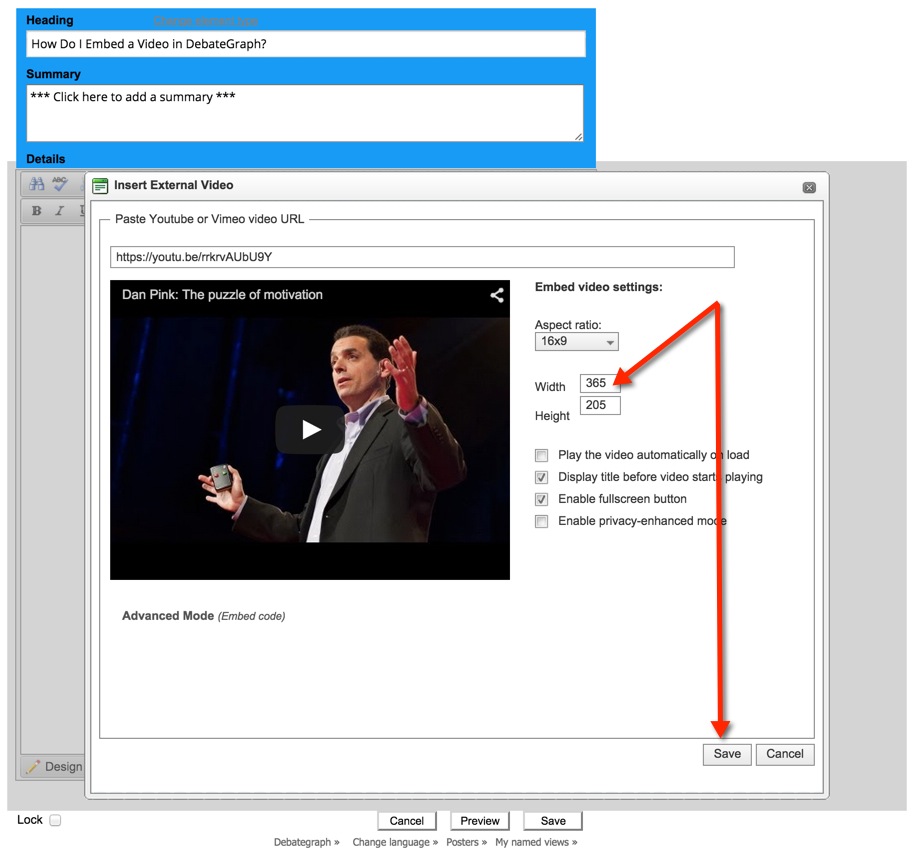
(5) Set the width parameter to 365, and then click the Save button on the Video embed form (not the main Save button on Details Editor).
Note:
- You may need to scroll down in the video embed form window to see the relevant Save button.
- You may wish to uncheck the Play the video automatically on load check box before clicking on the Save button.
(6) After the video embed form closes, click on the main Save button at the bottom of the Details Editor:
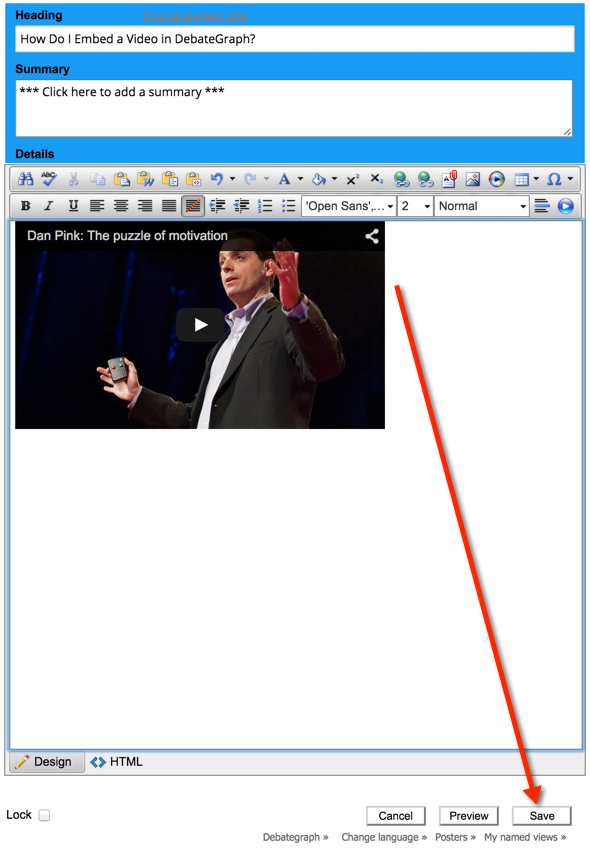
(7) The Details text will save now, with your video displayed in context: