| Sharing your map Resource1 #65232 You can link directly to any view of any idea on any map, embed maps on blogs and other websites, share links via social media, invite people to join public and private maps, and email any Box view to friends and colleagues. |
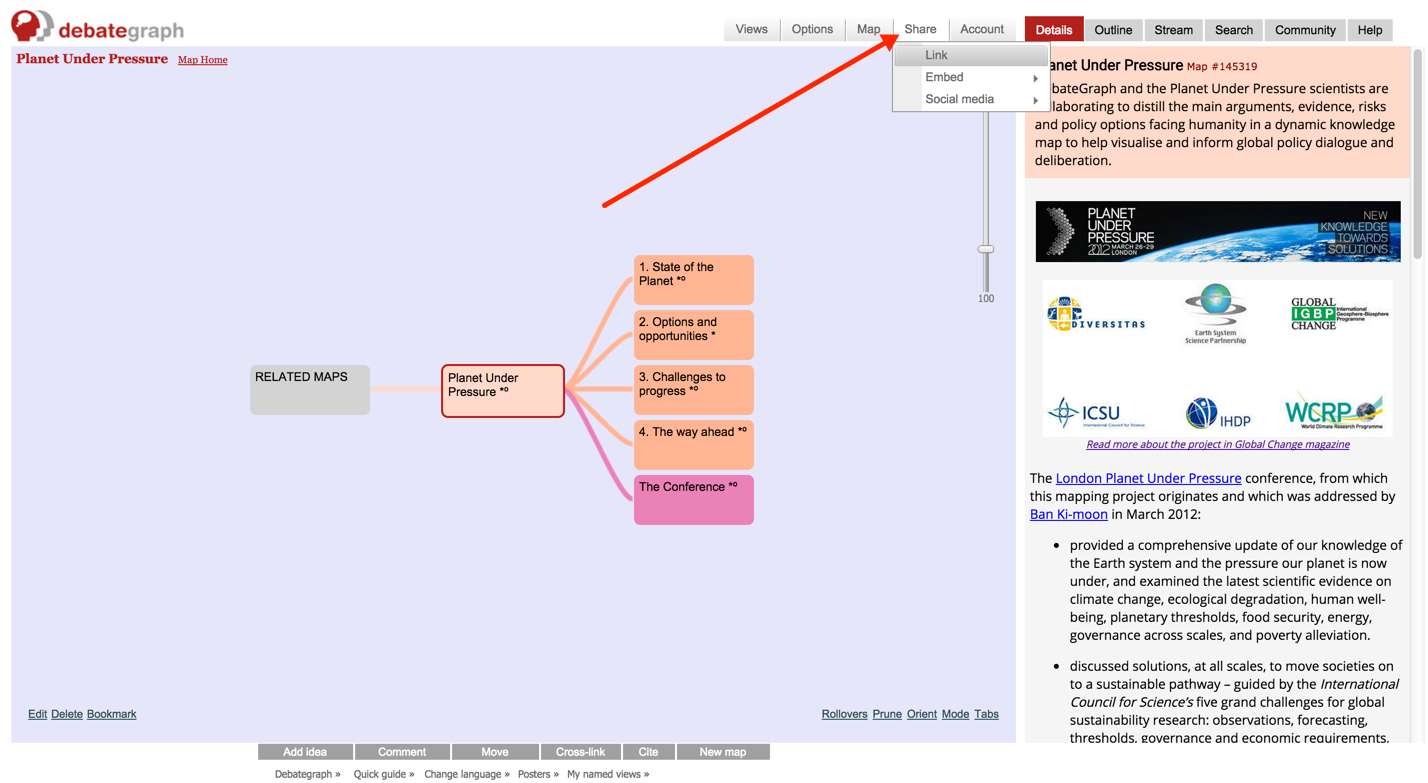
You can use the Share menu (above the map) to: - link directly to the currently selected view of any idea on any map;
- embed any view of any public map on blogs and other websites;
- share links via social media, and
- email any Box view to friends and colleagues.
 ...and use the Invitation feature on the Community tab, to invite people to public and private maps. 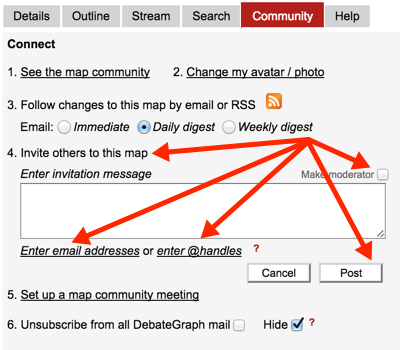
The Share menu (above the map) offers the following options: - Link – generates a link to the currently selected view (and, optionally, lets you give the URL a short/memorable name – e.g. debategraph.org/help).
- Embed – gives you a snippet of code (akin to YouTube) to embed the current view of the map on a blog or other website – with the choice to embed either the Full map & functionality, or a Compact map (that shows the Bubble view only) for narrow column width sites. Nb: the embed codes use iframes – like Google maps – which most (but not all) blogging platforms allow by default. And when embedding the code on your blog you may need to use the blog's HTML editor rather than the default Visual editor.
- Social media – generates a quick link for you to share the current view of the map via Facebook, Twitter, G+, Email, LinkedIn and a selection of other platforms.
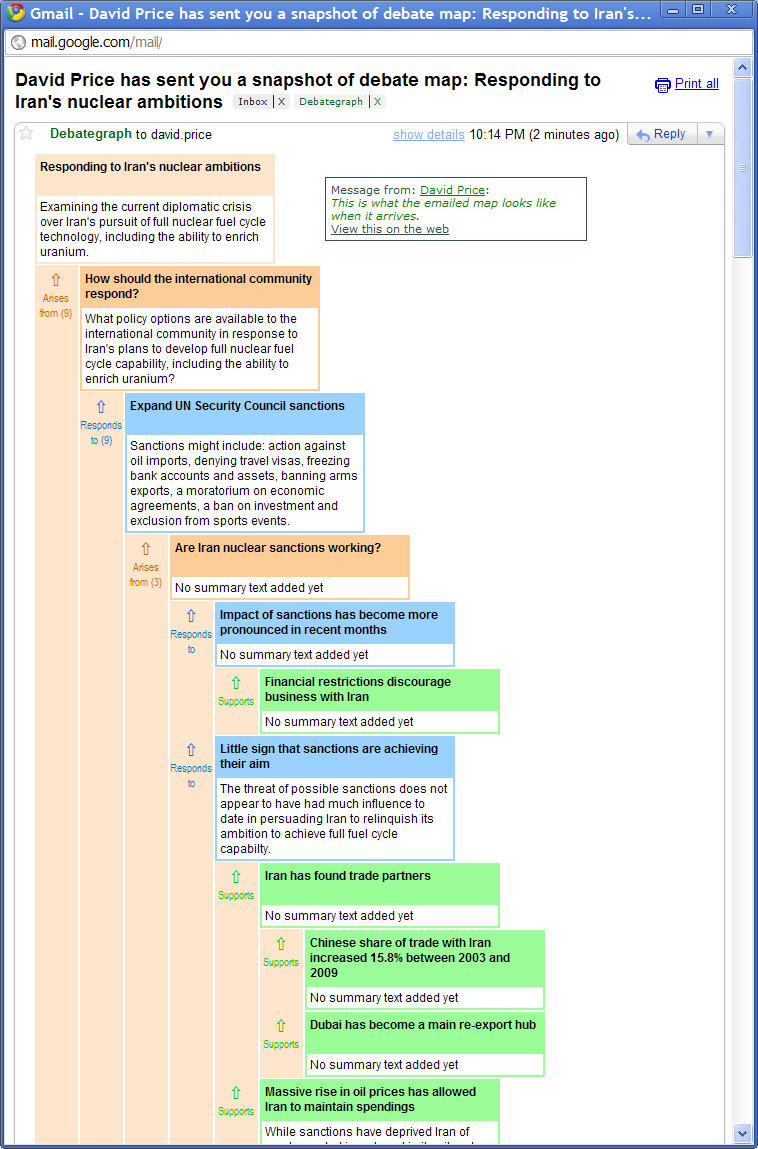
- Email – when you are in Box view, the Share menu also gives you an option to email the current view the of the map to one or more people (or to the entire map community for the currently selected map). After clicking the Post button, the Box view will be emailed immediately to the intended recipients and will arrive in the form illustrated below:
|
| Edit details | | Page view |
Show >>Citations0Comments0HistoryInfo<< Hide |